

TL;DR
Relying solely on tools and services does not solve PDF and document accessibility and compliance with WCAG and PDF/UA challenges; a comprehensive strategy that incorporates these options is required.
- Document creation is decentralized in organizations, making it difficult to manage and govern accessibility requirements across all contributors, from interns to CEOs.
- Most organizations face challenges in making documents like PDFs compliant with regulations such as WCAG 2.2 AA and PDF/UA.
- The article outlines common challenges organizations face in achieving document accessibility and discusses strategic approaches to address them.
- Recent advancements in technology, such as AoD, are creating new opportunities and strategies for managing document accessibility.
- Document/PDF accessibility ensures that people with disabilities can perceive and use documents, making information available to everyone.
Introduction
There are so many claims that service and tools are going to solve your PDF and document accessibility and compliance with WCAG and PDF/UA challenges, so why is there still a struggle? It’s because they’re not the magic pills that the marketing claims. What is needed to make magic is a killer strategy that includes those cool tools and services.

Everyone in an organization creates documents, from that hip, new intern to the CEO, whose new favorite topic is AI. This variability and distributed group of document writing machines make it tough to evangelize, govern, and manage requirements for the organization’s documents. Now add the complexity associated with accessibility, and it can seem impossible.
If this resonates and you thought you were alone, you’re not. Almost all organizations face this challenge when it comes to making documents like PDFs conformant to regulations such as WCAG 2.2 AA and PDF/UA.
So, is it even possible to successfully manage document accessibility? We will break down the challenges that frustrate organizations (and probably you) and look at strategic approaches that can solve these challenges. We’ll also look at how recent advancements in technology are changing this landscape and opening new strategies and options. But first, let’s talk about what it means for a document to be accessible. You know, so we’re all on the same accessible page… (see what I did there?)
Learn About Automated PDF Accessibility at Scale
The power to produce accessible documents/PDFs quickly and cost-effectively. No special skills or expensive resources needed. You can easily fulfill your organization’s requirement for accessible and compliant PDFs.
What is Document/PDF Accessibility?
Document accessibility ensures that documents like PDFs, Word documents, and spreadsheets can be perceived by people with disabilities. Simply put, it makes sure everyone can read that cool document you’re so proud of. There are two major guidelines commonly applied to the accessibility of PDFs to make sure this happens:
- Web Content Accessibility Guidelines (WCAG)
- Portable Document Format/Universal Accessibility (PDF/UA)
Both of these guidelines help people understand how an accessible PDF should behave, and they are the guidelines most used for regulatory compliance.
Why is Document/PDF Accessibility Such a Challenge?
As we’ve discussed, everyone in an organization is cranking out documents of some sort, and accessibility can get a wee bit more complicated than other requirements. This means that in larger organizations and certainly in places like higher education or government institutions, there are incredibly distributed groups, all with varying needs and motivations, creating documents. Traditionally, to make sure those documents are meeting requirements for accessibility successfully, those organizations somehow need to:
- Educate everyone on accessibility document creation. This may include how to remediate a PDF for accessibility and evaluating conformance to WCAG 2.2 AA and PDF/UA
- Provide that group with resources and tools for the remediation and creation of accessible documents.
- Evangelize the importance of accessible documents.
- Govern that group to make sure they’re complying with organizational policies for accessible documents.
- Manage attrition and onboarding so new employees get all of the above.
And, all this needs to happen without any documents slipping through the cracks – yeah, right! It’s like trying to run with a handful of goldfish without getting your socks wet.
Alternatively, particularly with PDFs, folks may opt for hiring a third-party vendor to perform PDF remediation, but this can hit the budget pretty hard and be challenging to manage, particularly with large volumes. It still may not solve the issues of evangelization and governance, and many documents may still slip through the cracks and get your socks wet.
In many cases, organizations have been producing, storing, and making publicly available documents, particularly PDFs, for some time before realizing the requirement for accessibility, creating another challenge around this large volume of inaccessible documents.
Lastly, often tools are implemented assuming that just having them will solve PDF accessibility organization-wide (as much of the marketing would lead you to believe), but without a proper strategy, this can create false confidence and, ultimately, risk.
Two Overarching Strategic Models
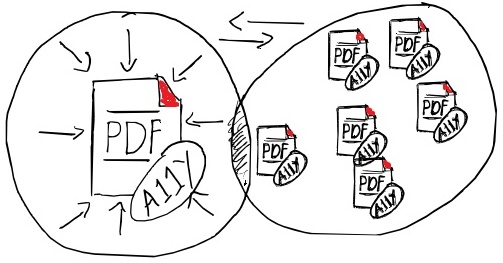
When organizations consider strategies to manage the challenges, one of two overarching strategic models emerges:
- The Centralized Model of managing document accessibility, where one person or department is responsible for managing the entire effort, including the remediation.
- The Distributed Model of managing document accessibility, where all the individual departments are responsible for ensuring documents are accessible.
The reality is that document accessibility typically emerges as an ad-hoc effort, and most organizations have some unplanned mix of the two models. In many cases, there are several different ad-hoc efforts happening, and those groups don’t necessarily work together or even know about each other. This leads to inefficiencies, which means higher cost, fewer accessible documents, and a higher risk of noncompliance.
Both models have their pros and cons. The Centralized Model can be the best for managing overall compliance and consolidating talent and resources, which is far more efficient. However, it leaves a large burden on a single group to evangelize, govern, and serve a large institution. The governance challenge often leads to areas of the organization falling completely off the radar.
The Distributed Model spreads awareness and governance throughout the organization, but distributes talent and resources. Moreover, it is more likely to be inconsistent with some parts of the organization embracing document accessibility while other parts remain distracted with competing priorities. It can also add complexity around the use of third-party vendors to remediate documents. In some cases, distributing the budget helps, while in others, access to those vendors can be challenging because it’s not centralized. Moreover, volume discounts may not be realized.
Neither model is perfect, and the answer doesn’t lie in one model or the other. The value is in understanding the pros and cons. It’s likely your strategy will be an intentional vs. the ad-hoc we just talked about – a blend of the two.
Elements of a Document Accessibility Strategy
Now that we understand the basic models and that it’s likely you’re going to blend those models, let’s look at the elements of a good document accessibility strategy. Often, when the need for PDF accessibility arises in an organization, the first thought is, “We need someone to remediate PDFs.” While this may be true, it is quickly discovered that there is a lot more to it if you’re going to be even somewhat successful. A good strategy has several elements that need to be successfully managed:

Evangelization
Evangelization is one of the most important and most overlooked strategic elements. It is the element that sets the stage for other aspects of the strategy to be successful and can ease the overall burden associated with some of those elements.
Simply speaking, evangelization is helping everyone in the organization understand the importance of accessible documents. If folks understand the “why,” they’re much less likely to resist the requirement.
There are several reasons it is important to output PDFs that are accessible. First, you’ve worked hard to create content that is useful. If people know that if they don’t make their content accessible, there will be entire groups of people who can’t benefit from it, it is a big motivator for accessibility. It’s also helpful for folks to understand the consequences for the organization if the PDFs don’t conform to WCAG 2.2 AA and PDF/UA, which can amount to significant fines or legal action.
Documents, videos, and presentations can be huge in spreading that awareness and getting folks on board with the effort. You may even want to consider creating an accessibility allies group that brings together employees who care about accessibility and will naturally help evangelize.
Education
A close cousin to evangelization is education. Sometimes the two efforts can be blended to a degree. For members of the organization to successfully fulfill the organization’s policies, they must be properly educated. Even if PDF remediation is handled elsewhere in the organization, it’s helpful to know how to create accessible source documents. People also need to be educated on the procedures to get their documents remediated and approved.
In cases where individuals in an organization are expected to create fully accessible documents on their own, they will not only need initial education but also options for continuing education, as some folks may have more complex documents that require specific efforts. In cases where folks don’t create a high volume of documents, they will likely need refreshers on occasion.
Initial education may be handled through instructor-led courses, but options that include eLearning, such as Eliquo, can be helpful to manage ongoing education needs. It’s important to remember that e-learning should be easily distributable to a large audience, and you may want to consider SCORM-compatible options that integrate with the organization’s current Learning Management System (LMS).
Remediation
Remediation can be handled centrally, by each individual, by a third-party vendor, or via a tool like Accessibility on Demand (AoD). In some cases, it may be a combination of the above. Remediation by a central person or department will create consistency. The downside is that the entire organization relies on one place for remediation. This can cause bottlenecks and frustration, particularly when volume fluctuates.
When individuals are responsible for their own remediation, results can be very inconsistent and have the potential to introduce risk. The need for initial and continuing education is much greater, and the additional burden associated with the materials they’re creating can cause frustration and resistance.
Third-party vendors can be a good option, but they can require a significant budget and are still susceptible to bottlenecks. There is some good news. Third-party tools such as AoD are very good at remediating PDFs for accessibility, and tend to be faster and more budget-friendly as well. They also offer some strategic advantages, which we’ll get into later.
Governance
So, now you have evangelized, and people are on board with making their documents and PDFs accessible. They now know it is good for everyone, regardless of ability, and that it’s good for the organization. You’ve also educated them, so they know what to do to make their PDF accessible. However, everyone’s days are busy, and there are multiple priorities and pressures that can cause folks to fall out of the habit. To ensure documents remain accessible to all audiences and to continue to mitigate the risk associated with PDFs that do not conform to WCAG 2.2 AA and PDF/UA, a system needs to be in place to ensure accessibility is happening and help people get back on track when it’s not.
This is obviously easier with the Centralized Model, but even then, you need to make sure folks are sending the document in for remediation. The risk is that the system gets bypassed altogether.
Governance shouldn’t be harsh; it should be understanding and encouraging. You don’t want to wreck the progress you made and the buy-in you achieved when evangelizing. Instead, you want to build on it and reinforce it.
Properly governing requires two things:
- Understanding all the documents that are being created within the organization and where they’re stored. Are they public? Are they contained in an LMS? Are they employee-facing?
- A system in place for spot checking those documents for accessibility and conforming to WCAG 2.2 AA and PDF/UA.
Nobody wants to use up valuable cycles with governance. Those cycles are too valuable for the actual work of creating accessible PDFs. You’ll want to spot-check just enough to have a good idea that the company’s policies are being followed, but not so much that it becomes unsustainable or hinders other progress.
You also want to take advantage of governance to make sure the system is functioning well. There are many reasons why someone may falter in their efforts to create accessible PDFs, and not all are their fault. Ask folks why they’re struggling and how you can better accommodate them. Use that feedback to improve your strategy.
Resources and Tools
When considering what a department or individual needs for resources, consider what’s needed to successfully output accessible documents. Some things to think about are:
- Centralized Help Desk
- Remediation Service
- Remediation tools like AoD
- Access to knowledgebases and learning
- Third-party vendors.
A bit of good news – technology has recently advanced to the stage that PDFs can now be made accessible through automation, with solutions like AoD. This puts more capability into everyone’s hands. These tools can make the Distributed Model a much more appealing option. It opens up the opportunity for individuals to remediate the PDFs they produce quickly and efficiently, addressing the time, education, and inconsistency concerns.
These tools can also make a centralized accessibility department much quicker and more efficient, reducing bottlenecks and creating efficiency. This also allows for a much smoother servicing of the departments in the organization and can eliminate concerns associated with the waiting times of traditional remediation.
Developing a Winning Strategy

How do you put everything together to create a winning strategy? The first concept to embrace is that there is no light switch. It’s not possible to implement a full strategy all at once and be done and perfect. You’ll need to embrace incremental progress and adjustments along the way.
To do this, you can use a maturity model like the W3C Accessibility Maturity Model (W3C AMM) as your basis. You will need to adjust the dimensions and proof points to be appropriate for document accessibility. If you go this route, consider using an expert accessibility consultant like Inclusion Impact Accessibility to help you create the model, do the initial assessment, and ultimately create a roadmap. We can also introduce tools that will track your maturity progress and keep you on track.
You can, however, tackle it on your own or start that way and pull in a professional if you get to a point where you feel it’s needed.
That said, the steps to take are:
Assess
Based on what you know now, assess where you are, what’s working, and what’s not working. In other words, what is your current state of document accessibility capability? It is important to establish this baseline. It will give you your starting point and help you understand the changes you may need to make.
Define
It is helpful to create a definition of working. Not to dictate what the strategy should look like at this stage, but what the results should be if the strategy is working properly. You’ll probably start with something like, “all the documents the organization produces will be accessible,” then work backward into some details specific to your organization and situation. For example, a part of the statement may read like this:
“All the documents the organization produces will be conformant to WCAG 2.2 AA and PDF/UA. A plan will be in place to remediate all existing documents by 2027. All departments will have adequate resources, and we will have a governance plan to ensure the continuation of accessible PDFs…”
Examine the Gap
Based on your current state and where you want to be, what does the gap look like? This could be something like all the departments are not adhering to the organization’s policy that all public-facing documents must conform to WCAG 2.2. AA and PDF/UA. It could be that a policy doesn’t exist. Maybe there is limited awareness of a policy. Or, any number of other issues.
Oftentimes, this is where we find gaps exist because of a lack of resources or tooling. Or, that the burden of making documents accessible is too great, and tooling like AoD or other resources like education options could help.
Build the Roadmap
Now it’s time to start solving this. Look at the issues you defined in the gap analysis and ask yourself what needs to happen to fix them. Make sure the answers are actionable and that you continue to work backwards. For example, you may determine that you need to implement education to address a lack of awareness and skill. Perfect. That’s actionable. Then you look one step back from there, what kind of education? You determine that you need self-paced e-learning – something like Eliquo. A step back from there, you have another action: evaluate e-learning options. And so on.
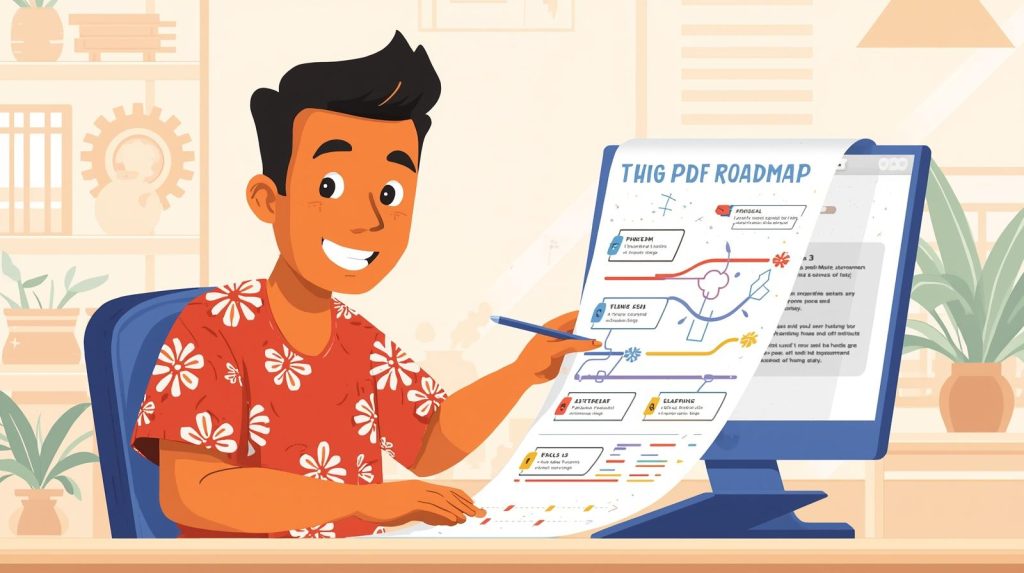
Once you have your action worked out, you need to assign an order and timing to finish your roadmap. My recommendation for timing is not to be too specific. In other words, March or the end of Q1 is better than February 17th. It is very likely that as you begin to execute, things will shift and be fine-tuned, including the dates, and there is no reason to put the kind of pressure on yourself that will come with a very specific date.
Now you have a road map with specific, actionable steps and a timeline.
Relax and Take One Actionable Step at a Time.
All the work and cognitive process it takes to get to an initial road map can be overwhelming. How are you going to get all that done? Now is the time to recognize that progress is incremental. You don’t need to worry about all that anymore. All you need to do is take the next small step. That’s why you put in all the upfront work, so you can now stay focused on the moment. What do I need to do today?
Evaluation
Don’t forget to take a breath occasionally and evaluate where you are and how it’s going. Think of the first roadmap as a draft that you revise along the way. As you execute, you will learn, and conditions will shift. You want to continuously apply those lessons and changes to your roadmap. So, you can keep moving, one step at a time, with confidence.
Conclusion
PDF and document accessibility is just one more capability in an organization that can be improved. With the right plan, it is much more manageable than you may think. With recent innovations like AoD, it is much easier to create a successful strategy for managing accessibility with a large distributed group of document creators. There are also tools that can help you manage your maturity roadmap. Feel free to contact us if you’d like to explore any tools or strategies mentioned further.

Mark SMiller is a digital accessibility consultant who helps organizations build accessible, inclusive digital experiences. He speaks regularly at industry conferences,, CSUN, CVENt and apperes on many webinars and podace. , He trains teams on practical, sustainable accessibility workflows.
Comments