

The ADA Title II Countdown
There was a major milestone reached on April 24, 2024. The DOJ officially updated Title II of the ADA, and for the first time, referenced a specific and clear technical standard. However, if you’re one of the many state and local entities covered under Title II, things probably feel anything but specific and clear. While the standard is clear, the road to compliance is complex and requires strategic planning. There is a looming deadline. The ADA Title II countdown is underway. Is your agency ready for the 2026 compliance deadline?
The Specific and Clear Standard
If you’re familiar with digital accessibility or have even just dug around a bit, you’re probably no stranger to the standard referenced in the Title II rule. It is the W3C’s WCAG 2.1, level AA, and applies to all state and local government web content and mobile applications.
Title II Compliance Strategy & Services
Free initial consultation with an experienced accessibility expert
Know Your Deadlines
Let’s get the deadlines out of the way. The two primary compliance dates are based on population. Here is how it breaks down:

- April 24, 2026: For entities with 50,000 or more people.
- Updated to April 26, 2027, as of April 20, 2026, Extension.
- April 26, 2027: For entities with fewer than 50,000 people and all special district governments.
- Updated to April 26, 2028, as of April 20, 2026, Extension
While considering these dates, also consider that this is an ongoing obligation. Once you hit the point of conforming to the rule, you’ll need to maintain that. The strategy should consider process over project. Yes, you need to run down a road that makes your web content and mobile apps accessible, but along the way, it is easy to implement some of the things that will make accessibility more sustainable, efficient, and cost-effective. This is where a good consultant can help you with an effective strategy.
Countdowns to the Title II Deadlines.
50,000 or more People
Fewer than 50,000 People
What Needs Remediating? It’s More Than Just Your Website
The Title II rule breaks down the assets you need to consider into two major categories:
- Web content
- Mobile applications
That seems simple enough; however, there are some nuances and details we should think about. Let’s consider web content. The rule defines it as the information and sensory experience communicated to the user via a user agent (such as a web browser), including the code or markup that defines its structure and interactions. What does that really mean?
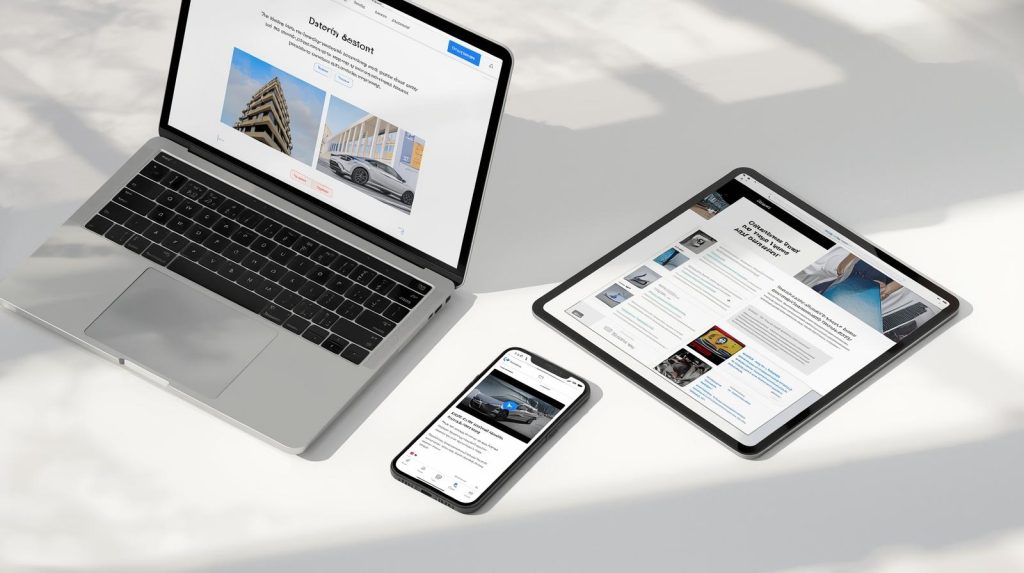
Aside from the obvious, the website needs to be accessible; it essentially breaks down into a few different things:
- Text
- Images
- Videos
- Electronic documents
- PDF’s
- Word docs
- Spreadsheets
- PowerPoint Presentations
The caution here is that you don’t get too literal. Certainly, if something is on this list, address it. You should also consider them to be examples. For instance, in my opinion as a digital accessibility consultant, if you were creating content in a format not listed here or using a different product (i.e., Google Docs), while these things are not specifically called out, it is safe to assume they should be made accessible and that they fall under the broad category of a sensory experience.
Also consider that mobile applications are explicitly covered and subject to a similar list of examples.
Title II PDF AccessibilityStrategy & Services
Accessibility PDFs at scale with AoD automation
The 3rd Party Gotcha
Third-party tools and content can be one of the most challenging areas to deal with. This is where careful strategy will be your friend. You are responsible for the content provided through contractual or licensing arrangements. Many of the tools used to serve the public are likely to be contracted from a third party.

This will likely require negotiation with those vendors and, as part of your strategy, I would recommend standing up a vendor management program to ensure that this is managed well in the future.
The Five Exceptions and Their Pitfalls
Let’s take a deep breath. This can all be a lot, but the good news is that some of the things that would be extremely difficult to deal with fall under the exceptions. However, it’s not enough to just know what they are. You also need to understand them, or you may find yourself trying to figure your way out of a pit, Indiana Jones style.
Let’s look at the five exceptions:
- Archived web content
- Preexisting Conventional Electronic Documents
- Content Posted by a third party
- Individualized, Password-Protected Conventional Electronic Document
- Preexisting Social Media Posts
What are the pitfalls, you ask? Let’s look at each exception:
Archived web content
This exception covers historic, outdated, or superfluous content that is maintained for historical purposes. To qualify, the content must meet all four of the following criteria:
- It was created before the entity’s compliance date (or reproduces paper or physical media created before then).
- It is retained exclusively for reference, research, or recordkeeping.
- It has not been altered or updated since being archived.
- It is stored in a dedicated area clearly identified as an archive.
Your strategy should contain a policy and procedure for evaluating archived content to ensure it is eligible for the exception.
Preexisting Conventional Electronic Documents
This refers to digital documents in specific formats (such as the one listed above) that were available before the compliance date. However, this exception does not apply to documents currently used to apply for, gain access to, or participate in the public entity’s services, programs, or activities (such as a business license application or a park’s accessibility guide).
Content Posted by a Third Party
Content posted by members of the public or other independent parties on a public entity’s platform, such as a community message board are an exception. However, you need to be cautious because this does not apply if the third party is posting due to contractual, licensing, or other arrangements with the public entity. For example, a vendor managing a payment portal or a contractor providing services on the entity’s behalf.
Individualized, Password-Protected Conventional Electronic Documents
This exception applies to specific documents—such as utility bills, tax records, or medical records—that are about a specific person, property, or account and are secured behind a login. It is important to understand that while public entities are not required to make every one of these documents accessible by default, many may never be accessed by a person with a disability. The platform itself (the portal) must still be accessible.
Preexisting Social Media Posts
Public entities are not required to remediate social media posts that were made before their specific compliance date. This exception acknowledges that many agencies have vast histories of social media activity that would be impossible to remediate retroactively. This one does not have any specific caveats. However, it may be good practice to make sure any critical information is accessible.
The Safety Net
Just like an acrobat who is performing a variety of stunts and may fall even though they’re well practiced, there is a big safety net under all these rules and exceptions to catch anything that may fall through. The safety net is this: even if the content is technically exempt from WCAG, if an individual with a disability requests it, you must provide “effective communication” and “reasonable modifications.”
The 4 Immediate Strategic Action Steps
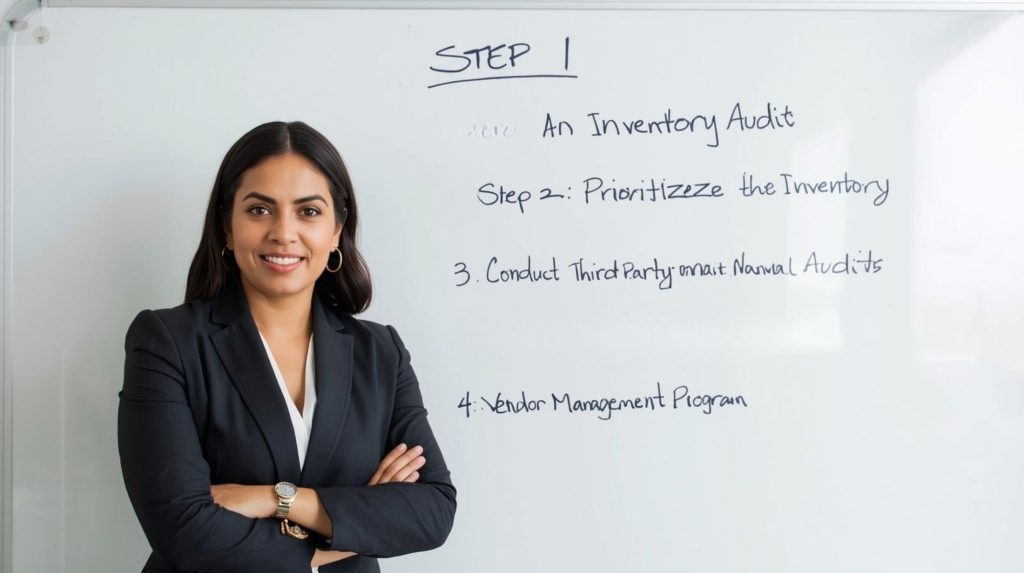
It may seem daunting or impossible to hit the timeline. Don’t let that stop you from getting started. The worst scenario you can be in is not having taken any action. We are here to help you. Engaging with a qualified consultant is critical to success. Please feel free to reach out to us. To help you further, here are some strategic actions you can take:
Step 1: An Inventory Audit
Start by inventorying your digital assets, including those behind user authentication. A comprehensive list of these assets will ensure proper and full coverage. You don’t want to end up in hot water because you simply missed something.
Step 2: Prioritize the Inventory
Where to start can be one of the most confounding aspects of an effort like this, and if left unchecked, one of the biggest reasons it stalls. However, there are some basic ways to consider priority.
- Evaluate your inventory to determine the highest impact, most frequently used content.
- Benchmark the accessibility of your digital assets. This can be done quickly through automation.
Look at these two factors and prioritize the high-impact, frequently used content, and further prioritize based on what the benchmarking says is your most inaccessible.
Step 3: Conduct Third-Party Manual Audits
This is where your prioritized inventory list and your accessibility consultant will come together to really help. First, don’t do everything at once. This is how efforts get overloaded and go off the rails. I’ve been an accessibility consultant for thirteen years, and this is the most common mistake I see. Start with your highest priority. Have a trusted accessibility consultant audit the digital asset. Execute the remediation plan, then go to the next asset on the priority list and do it again. Don’t overload the remediation resources by doing everything at once.
Also consider that digital assets are dynamic. They change over time. The further the remediation happens from the audit, the more likely the information becomes stale. Many accessibility companies will want you to audit everything at once because it is better for them, but it may not be the right move for you. Consider this carefully.
Step 4: Establish a Vendor Management Program
I’ve supported a large credit union for many years and was privileged to see it significantly mature its accessibility over those years. One of the most impressive aspects of the accessibility strategy was the implementation of a Vendor Management Program.
A good vendor management program will be important for you, too. Remember the Third-Party Gotcha. It is recommended that you review contracts carefully and require Accessibility Conformance Reports (ACRs) in the Voluntary Product Accessibility Template (VPAT) format. Further (and this is where the credit union is extremely successful), learn how to evaluate the ACRs and work with the vendors in a tactful and cooperative manner to improve any gaps. Your accessibility consultants should have services to help you with this. This can greatly reduce your risk.
The Risk of Waiting and the Value of Proactive Compliance
Non-compliance comes with many risks. The greatest being the potential of litigation. The most concerning aspect is the additional burden imposed on people with disabilities when they cannot access your content. When barriers and burdens exist, it is as if an additional “disability tax” is being imposed on the individuals who don’t have equal access.
The secret here is that, along with the effort to bring your digital assets into compliance, start to build accessibility into your processes so that it is considered from the beginning, where it is much more efficient and less expensive. Moreover, any accessibility issues that don’t make it into your production environments are issues that never introduce any risk in the first place.
We’re Here to Help
The deadlines are coming, and the standards are high. We’re here to help. I invite you to contact us for a free initial Compliance Strategy Consultation.

Mark SMiller is a digital accessibility consultant who helps organizations build accessible, inclusive digital experiences. He speaks regularly at industry conferences,, CSUN, CVENt and apperes on many webinars and podace. , He trains teams on practical, sustainable accessibility workflows.
Comments